Apprentice Lessons Archive - Page 2 of 6 - HSR Home Staging Certification Training
Archive
Blog Archives

Model Home Staging

How to Handle Model Homes
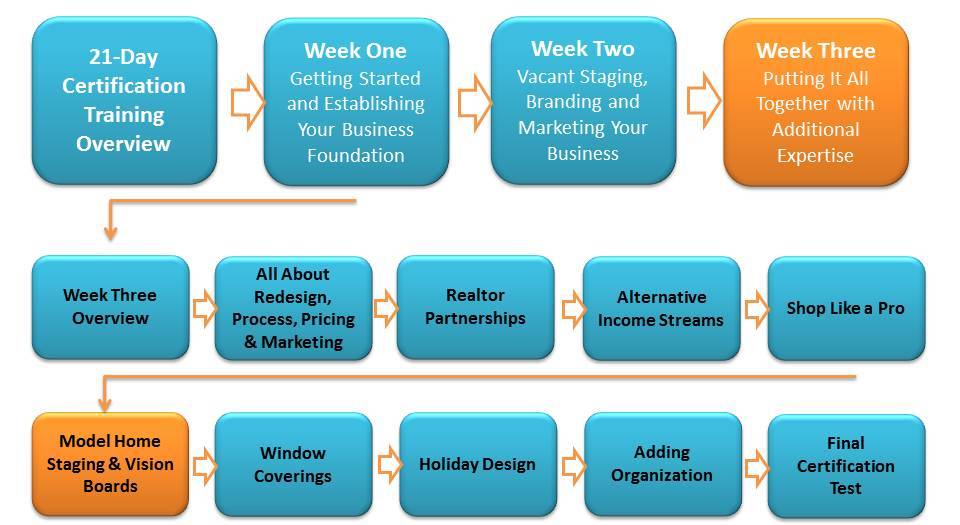
Tackling model or spec homes is no easy task, so I created a step-by-step process, presentation and plan that you can follow to price and stage model homes.  Before we get started, these are the forms associated with this training (and they are also at the bottom of this page).

Video 1 - Training Overview and the Builder Phone Order Sheet


Video 2 - Researching the Buyer Demographic


Website for Research - http://www.esri.com/data/esri_data/ziptapestry

Video 3 - Rules for Luxury Home Design & Audra's 5 Rules of Design Success!


Video 4 - The Fun Part...Let's Look at Some Model Home Example Photos


Video 5 - How to Price a Model Home Project and Share Your Price Vision
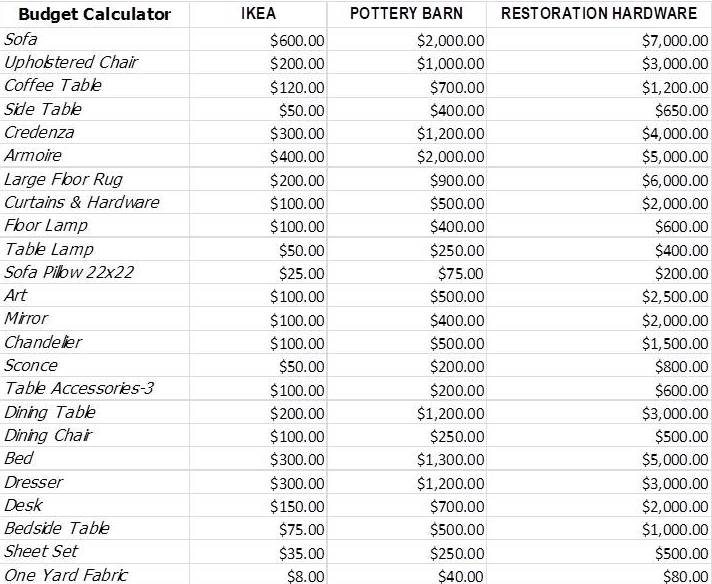
 

Right Click and Save As...to download this image

Video 6 - Choosing Key Vendors for Model Home Staging - My Favorites

My Latest FAVORITE Wholesale Vendor (this video is also in the Black Book)


Video 7 - Using Vision or Concept Boards and Floor Planning - Best Resources

This video is even good for creating mood board, design boards for clients because I like this technology and think it's the easiest one to use.  Here are the two main vision board resources:

  • DesignFiles.co - My latest favorite edesign softward platform with a FREE trial and from the makers of OlioBoard!

DesignFiles.co is from the creators of Olioboard and I have been working with their CEO to get this very cool, design board company partnered with HSR! 

Here's the scoop...sign up for a VERY DISCOUNTED account by CLICKING HERE

With e-Design gaining more and more traction within our industry, a huge opportunity has opened up for designers. By offering faster, more affordable, and more convenient interior ‘e-design’ services, you can tap into a significantly larger potential client audience and not be limited to servicing just your local area.

To create a vision for your clients, I recommend using DesignFiles.co

DesignFiles.co provides interior designers with their own professional and private e-design platform where both designer and client can log in to discuss a design job from start to finish. In minutes you can have your e-design business up and running and ready to accept clients. What I like best about DesignFiles is that it's built to help designers grow their OWN business. 

  • Wecora - I no longer recommend Wecora because they do not offer a free trial anymore:(.
  • Floorplanner.com - Great and free tool for drawing out room layouts, so you get scale correct.

The Resources and Downloads Mentioned in This Section Are:

Shop Like a Pro

Ready to Go Shopping?

Shopping Advice

(This is also in the Member's Black Book Section)

I know I've already talked at length about how to shop for clients, as well as what kind of accessories to look for in other sections but I wanted to add a couple more useful videos to expand your shopping.  Here's some good rules of thumb for shopping:

  • Never pay with your own money when shopping for clients!  Clients should give you cash, a check to cash (make sure it's gone through) or use a Chase Liquid Gold card they purchase from you that you can fill by taking a photo of their check.
  • Never go in with the idea that you are going to take the items back!  Stagers are getting a bad reputation for buying items for clients, then returning those same items once the home has sold.  Your business holds to a higher standard, so please don't do this.  Instead, shop for clients with their cash (see above) and give them the items with the receipts, so if they don't like something...THEY can return it. 
  • Emphasize Your Shopping Expertise - You are the design expert, so be confident and hold true to your shopping and design choices...DO NOT WAIVER.  If they client, still does not like an item, they can return it.
  • Emphasize Your Shopping Efficiency - Most people do not haunt furnishing stores like you and have no idea where to "source" things!  You are saving them oodles of time by doing this for them.

Now that you're a "professional", you get to shop like one.  You get to shop "to-the-trade" and "Go to Market" which is a Designers term for shopping wholesale at unique furnishing brands who only sell to you....pretty cool huh?  

Shopping to the Trade and Audra's Best Advice

I'm very excited about all the shopping doors that are opening up to us as home stagers and designers!  In this new video I am sharing a new, FREE "to the trade" shopping portal that will allow you to get those trade discounts I describe in my "Going to Market" video below WITHOUT having to open separate accounts for each vendor and meet their minimums...woot!

Resale License/Sales Tax ID/Seller Permit  Info

As you can see there are varying terms for the same type of license/permit in each state that "allows you to purchase items wholesale (without paying tax) in order to retail those items for sale in your business."  Every state differs a bit, so go to the link below to find your state and easily register online for this license to buy wholesale. 

  • If you could not find your state or province on the list, simply go to Google and search "Sellers permit STATE" to get information
  • Most wholesalers will ask to see a sales tax ID or reseller's license before they will sell you the goods. This is because they are legally obliged to check whether you are able to collect sales tax from the end user.
  • Click Here for a link to a company that can register it for you but also has some good general information about this topic.  http://www.sellerpermit.com/

Going to the "Market" and What that Means...

The Las Vegas Market and High Point are massive places where vendors showcase their goods and designers shop/create accounts to get DEEP discounts on items a handful of times a year.

 The RESA Convention always coincides with the Las Vegas Market, so you can attend the convention and then shop the market for your business.  Below are the links to both markets, so check out the dates to see if they work for you:

Michelle Minch, Me and Laurie

Our very own Michelle Minch an HSR Grad and owner of Moving Mountains Design teaches a live class at the market on her favorite vendors and how to shop.  For information, go to her website at:

https://www.shopfurnituremarkets.com/

Make sure to tell her I sent you!

How to Shop the Market Video Presentation

Here's the second part of this video presentation where I scroll through tons of photos of products AND tell your their wholesale price, so you can see what kind of deals are to be had at the market...

My Favorite Staging Trade Vendors & Deals You Can Get (Over 100 Photos!)


List of Vendors & How to Connect

Please Click on the Link for the Pop-Up Vendor Information:

Just know that because of our large, HSR network there is no vendor out there who won't give you their best trade discount.  All you have to do is ask;).

The BEST Staging Insurance for Your Business!

RESA - Join the Real Estate Staging Association at a discount!

RESA Buying Group

Houzz.com - Join the Houzz Trade Program through your membership at ASHSR!

WayFair/Joss&Main/All Modern/Birch Lane/Dwell Studio - My personal FAVORITE place to shop for EVERYTHING!

Artist Guild of America -  Trade source for LARGE CANVAS ARTWORK

Diamond Sofa - AMAZING trade pricing for furniture!  Stop renting from Cort and use these guys

Ashley Furniture - Accessories, Art and Furniture (Great Trade Discount and RESA Sponsor)

Sagebrook Home

Surya - Rugs, Pillows, Online Decor (Great Trade Discount and RESA Sponsor)

Paragon - Awesome Art, Online Decor (Great Trade Discount and RESA Sponsor)

ProPac Images - Awesome Art, Online Decor (Great Trade Discount and RESA Sponsor)

Habitatery - One-stop-shop for designer (bespoke) trade pricing

 PierOne - Easy place to shop for seasonal accessories and smaller furnishings

Bed Bath and Beyond - Another great place to shop!

 Living Spaces - AWESOME furniture chain mostly on West Coast but growing rapidly

CB2 - I'm crushing on their products these days.  Trade is only 15% off  but every bit helps

ZoomCasa - Apply to allow your home sellers to NOT have to pay upfront for staging!

Dillards Design Network - Have a Dillards Dept Store near you?  Get 20% off!

Olivya Stone - High-end furnishings for design clients at 20% off using my code...

Abbyson Designer and Home Staging Program - Wholesale pricing!

Staging Risk Management

ProSource Wholesale Flooring, Tile, etc..

All Pottery Barn, West Elm and Williams Sonoma Family of Stores

 PropsAmerica for Fake TV's, food, etc...

HSR's Own BuildASign Online Store for Yard Signs, Decals and More...

Ballard Designs - One of my favorite furnishing stores!

BellacorPro - HUGE online designer discount retailer

Restoration Hardware - Not much of a discount but an awesome store

The Shade Store - Love this window covering company - Get FREE samples!

Arhaus - Beautiful home furnishings

Ethan Allen Home Furnishings

Bassett Furniture Store

MirrorMate - Easily frame old bathroom mirrors!

Just Dough It - Fake food props

Artfully Walls - Great art source that can even build a gallery wall for you!

Serena and Lily - Huge selection of classic home accessories you get 20% off!

Luluan Georgia - Very cool place for accessories

Frontgate & GrandinRoad - Outdoor furnishings and Christmas Decor - get your catalogue

Luxedecor - Huge online furnishing company

Shades of Light - Great for lighting

Lamps Plus - Inexpensive lighting and accessories

Horchow - Unique lighting and furnishings

Audra's Favorite Wholesale Designer Fabric Resources

Sherwin Williams - My favorite paint company who is a huge supporter of RESA

Cort Rental Furniture - Start here for vacant homes

Amazon Staging Decor Essentials

In full disclosure, these are affiliate links

Amazon Bed Essentials

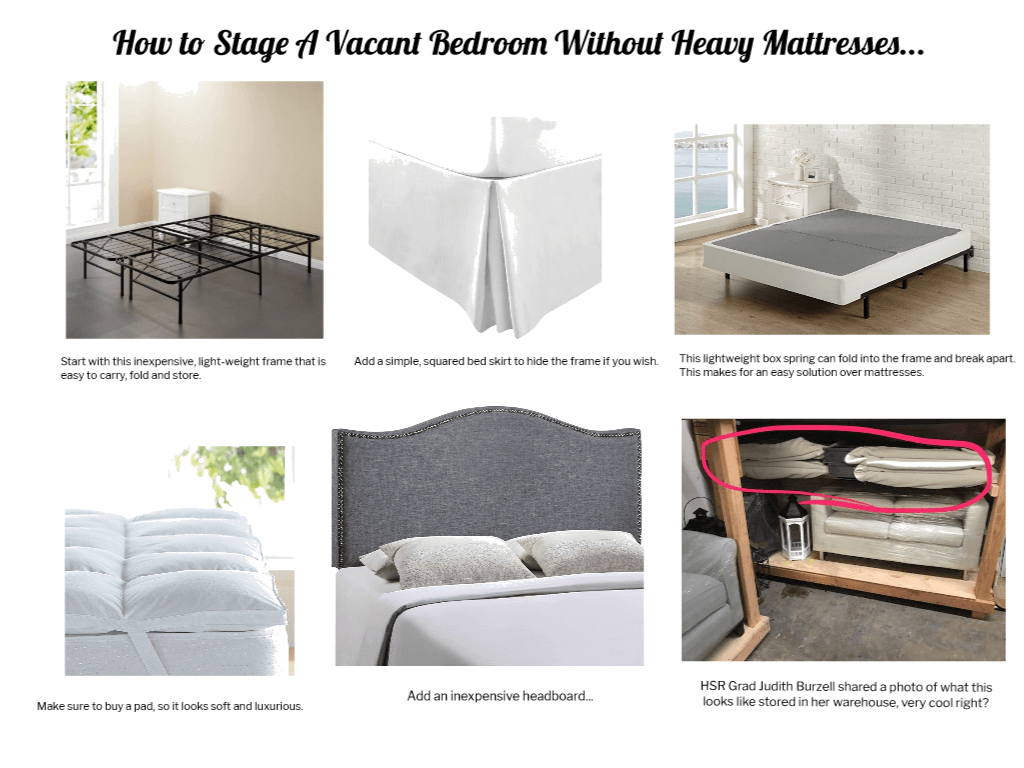
Did you know that you could stage a bed, single-handedly for under $300?

Click to Open PDF Shopping List with Links!

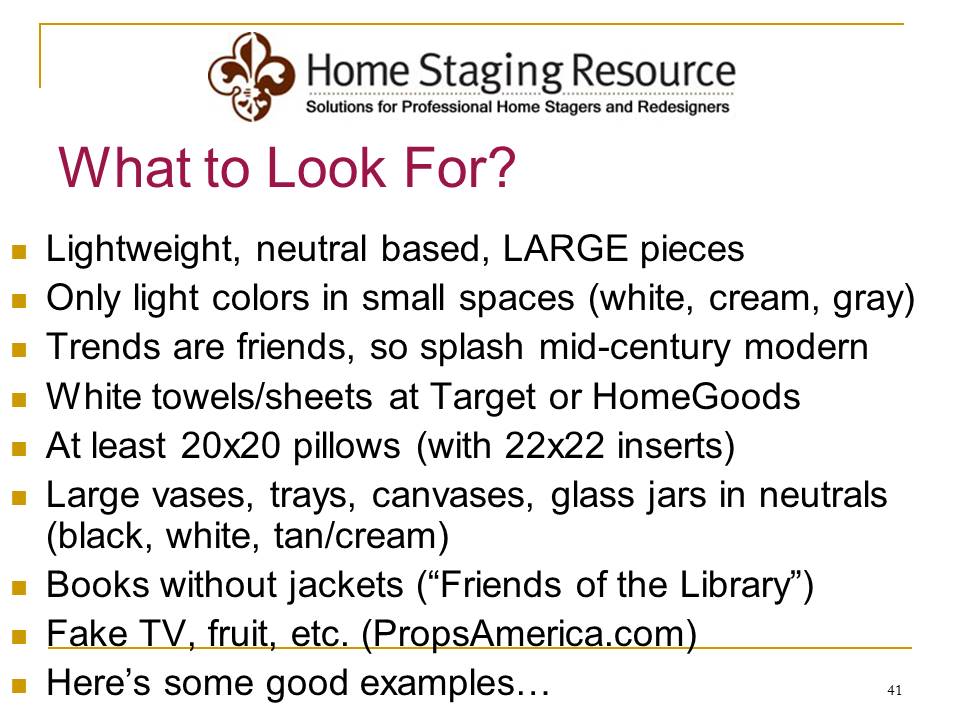
What to Look for When Shopping

Audra's Pinterest Board of Favorites

staging-ideas

Staging Toolbox Essentials

In full disclosure, these are affiliate links

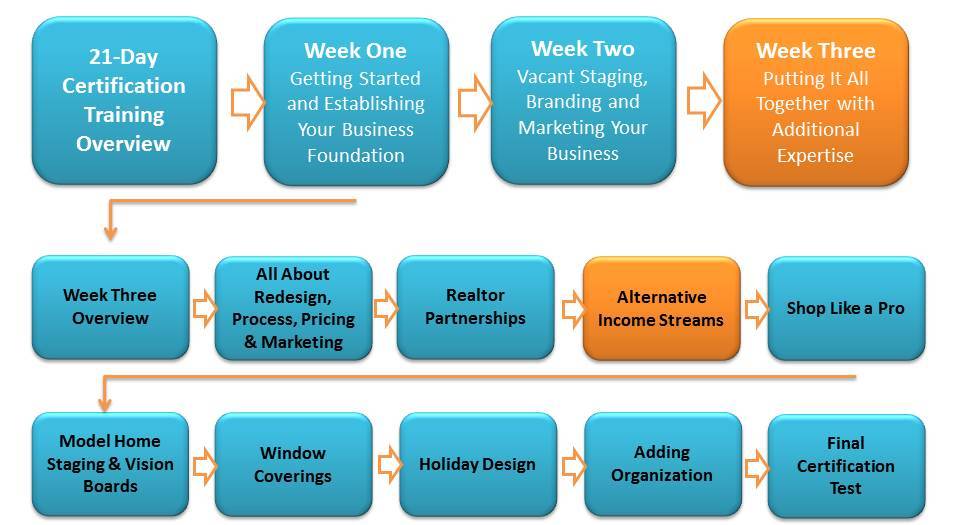
Alternative Income Streams

So Many Ways to Make Money in this Industry!

I gave this presentation at a RESA Convention and was surprised at how many home stager's were not thinking of the many various ways they could creatively make money in this industry!  In Week One, Industry Overview section you hopefully did some soul searching but here is where your creative juices are really going to get flowing!

DOWNLOAD MY PRESENTATION NOTES AND HELPFUL LINKS!

Realtor Partnerships

Developing Strategic Agent Partnerships

I want you to consider how you're going to use the various resources, forms and videos available to connect with agents.  Here's a video that gives you all sorts of ideas about developing agent partnerships and the resources are below the video:

Realtor Partnership Overview Video

Resources and Links Mentioned in the Video

Unfortunately Home Staging Shows has been discontinued but I recommend using a simple app like Ripl or doing a Facebook live through the home on your iPhone to create simple slideshows and post to social media.

Canva Templates as Flyers/Brochures/Presentations

Always check the Canva Template section to see the latest templates added to your membership but here's a few examples...

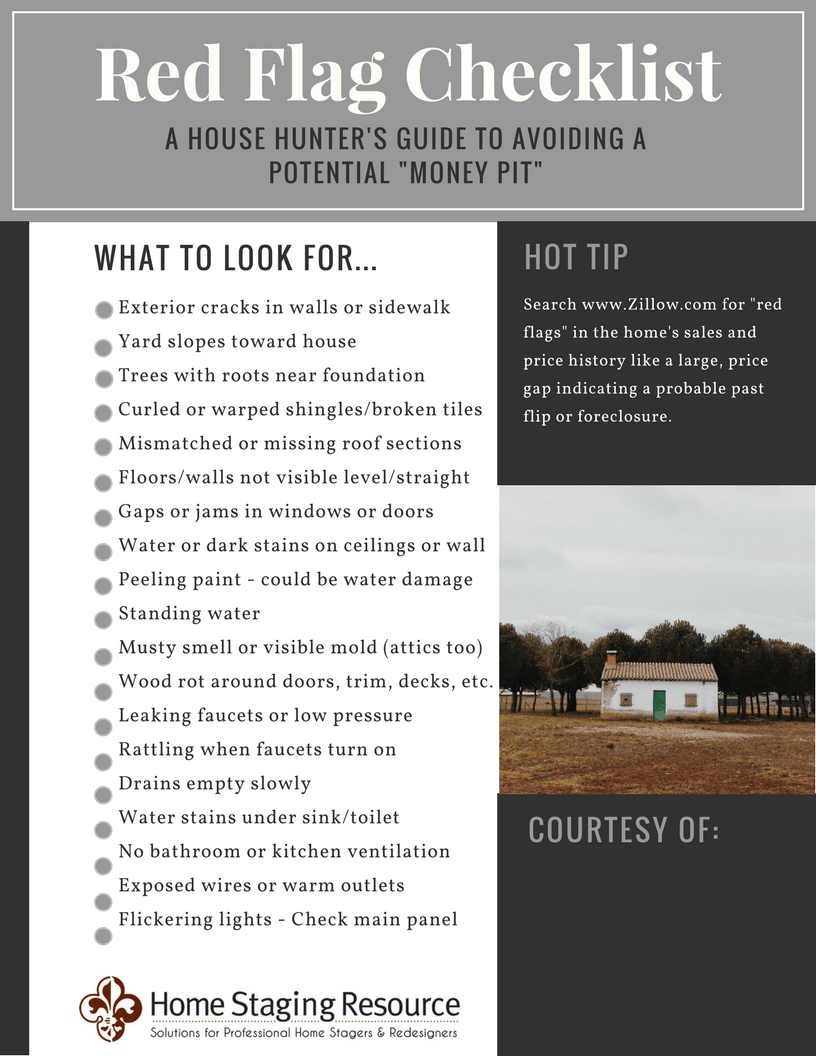
Red Flag Checklist Flyer for Home Sellers

<<<Customize this with your logo and use as a handout to sellers, or agents can provide in their listing presentations or a download for your website...lots of uses!


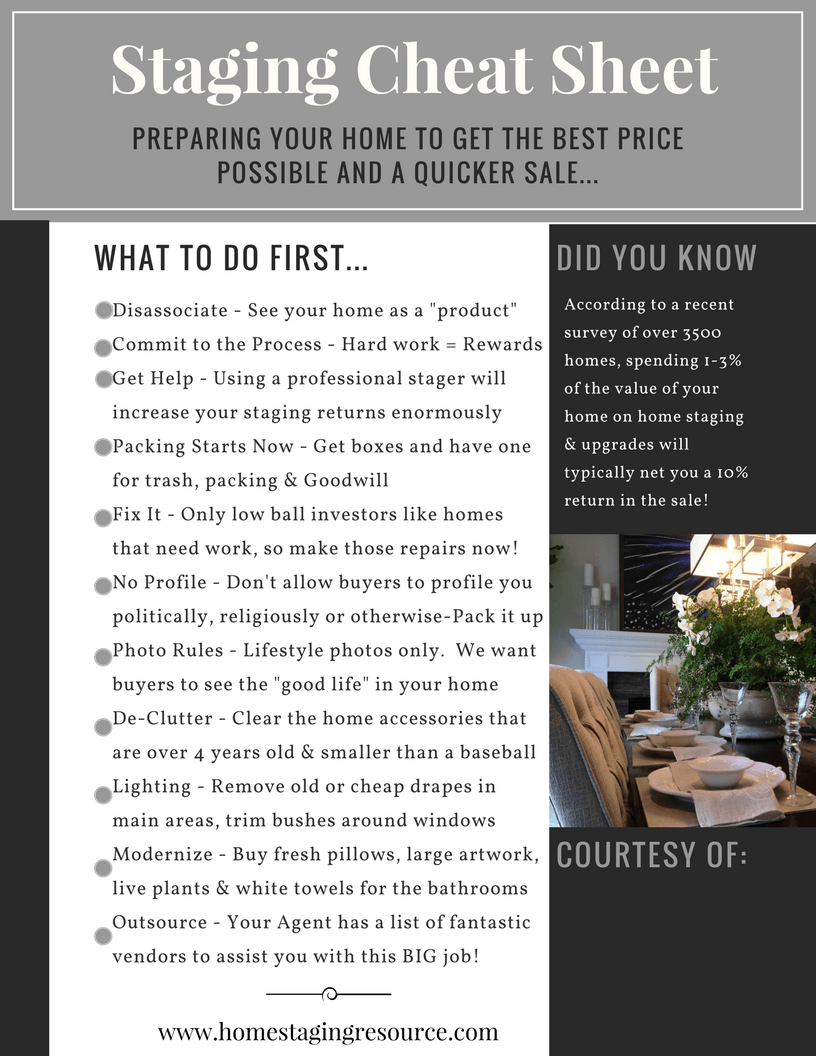
Staging Cheat Sheet Flyer for Agents and Sellers

<<<Customize this with your logo and use as a handout to sellers, or agents can provide in their listing presentations or a download for your website...lots of uses!


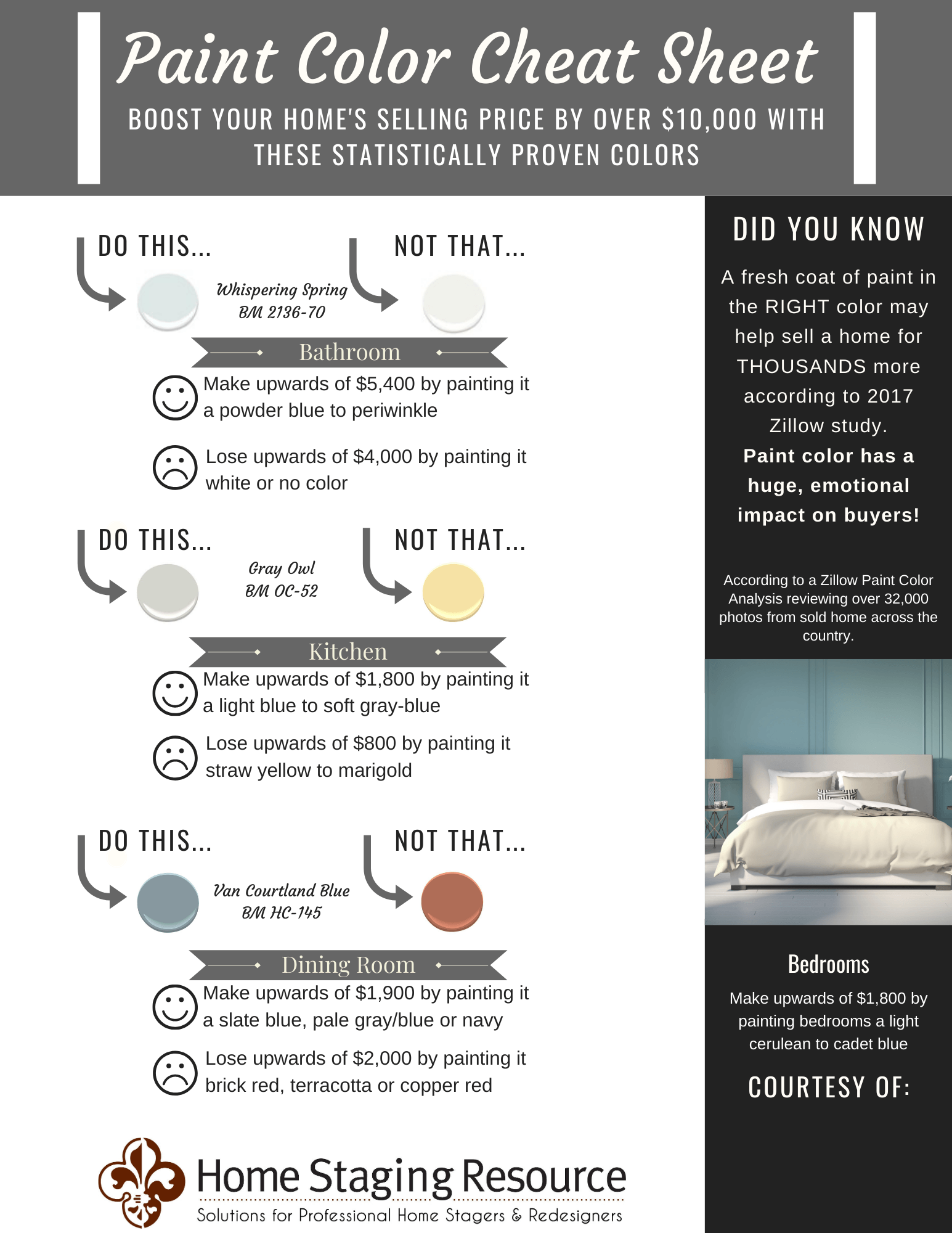
Paint Color Cheat Sheet

<<<Customize this with your logo and use as a handout to sellers, or agents can provide in their listing presentations or a download for your website...lots of uses!


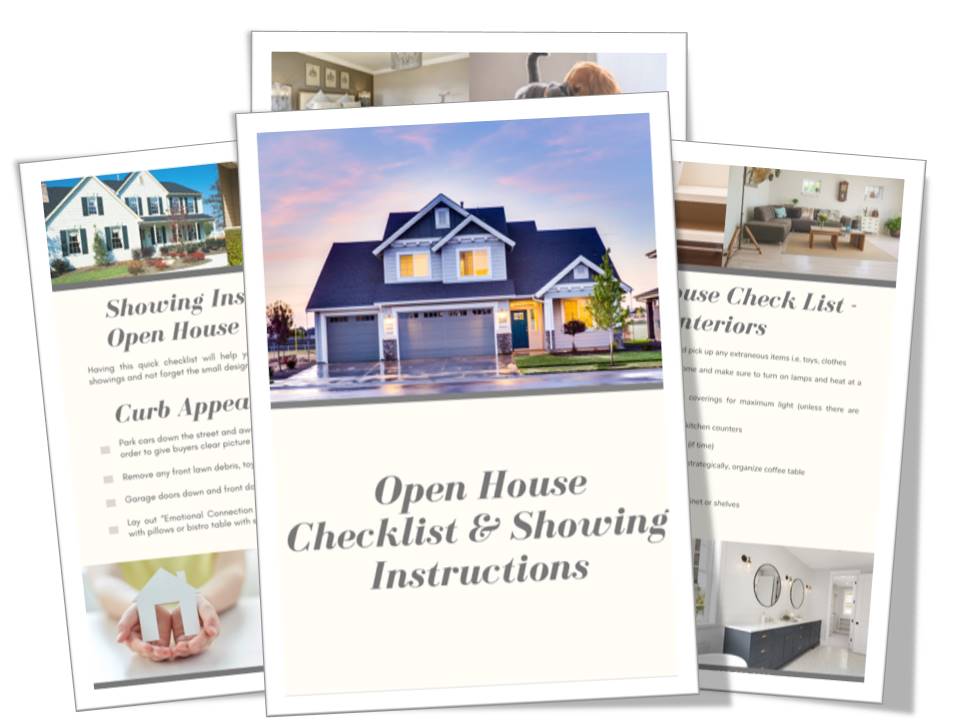
Open House Checklist

<<<Customize this with your logo and use as a handout to sellers, or agents can provide in their listing presentations or a download for your website...lots of uses!


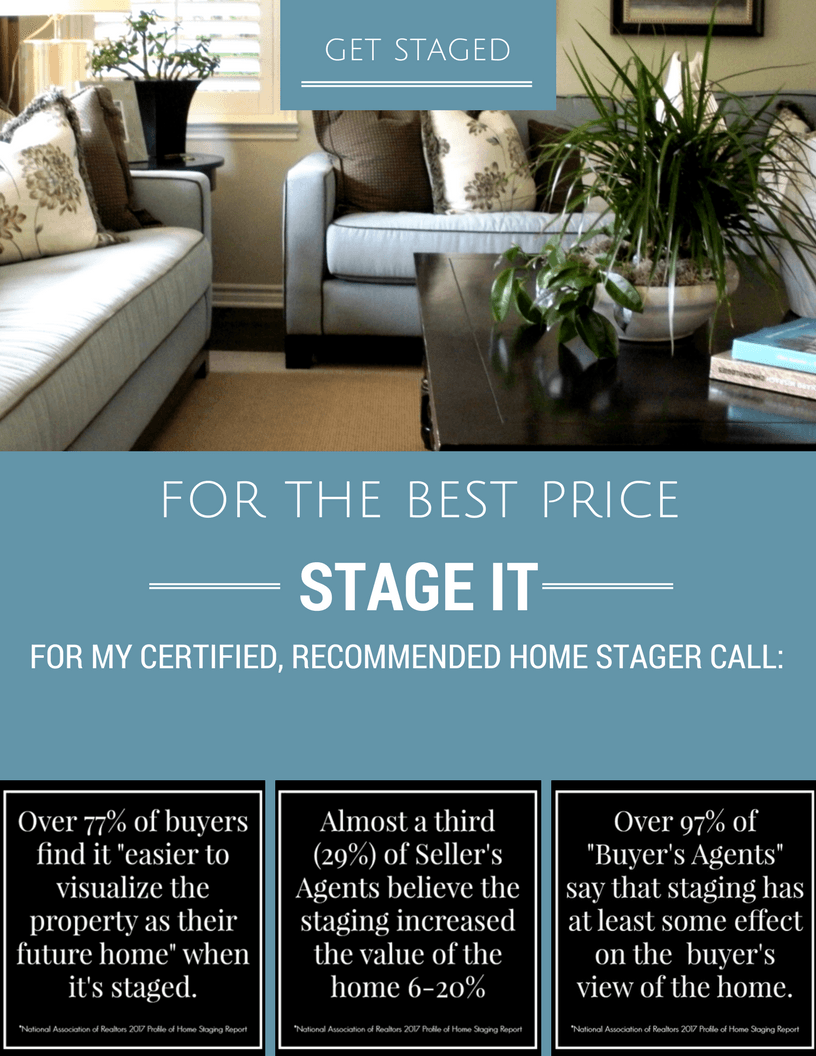
Agent Listing Presentation Flyer with Statistics

<<<Customize this with your logo and use as a handout to sellers, or agents can provide in their listing presentations or a download for your website...lots of uses!


Videos for Your Realtor Partner Page on Your Website:

See Also "Social Media Library" Section in HSR Library


Here's the direct YouTube link:  https://youtu.be/t63dnexcehA

Download from Social Media Library


Here's the direct YouTube link:  https://youtu.be/1cVMUf6A_BQ

Click to Download MP4 Video File


Video for Agents to Put on Their Own Websites and Send to Sellers

The direct YouTube link for sharing:  https://youtu.be/4ilL_VuCqmc

Click to Download MP4 Video File


Older Next Steps Webinar Training from Realtor Member, Paige Earles

All About Redesign

Time to Add Design

I always say that home staging and redesign are two sides of the same coin...the only difference is the "Who" we are designing for.  For staging, we design for the buyer demographic and take a more impersonal approach.  For redesign, we take a very personal approach and create functional, harmonious spaces that "work" with the home owner and are perfectly tailored to their needs, tastes and desires.

Earlier in the HSR Guide to Success, I said you could easily use the same approach to redesign as you do for staging in terms of the 8-step, FEEL HOME process.  In this training, I'm going to expand upon that approach with some business tips and a systematic way of handling design jobs.

The terms "redesign" can be interchanged with "interior styling", "design" or just "styling" so use the terms you are most comfortable with as they are all the same.  Do not use the term "interior design" unless you have taken a full interior design course that fits with the ASID requirements.

In this video, I outline how you handle design clients from start to finish but you can manage this service any way you prefer and even go more simple by following the HSR Guide to Success model.  Feel free to pause the video or play back if needed.


If you are having trouble viewing the video above, please go to this private YouTube link:  https://youtu.be/_-bBuUhBZq8

If you are able to spend time with the client and completely fill out the Design Order Sheet, then there is no need to send them the Initial Design Life Style Questionnaire because your questions are already answered.  Spend as much time building rapport with the client as possible! 

Use our phone script for taking phone calls from the Consultation section in the same way you take design phone calls.

If you're an Expert E-Designer Member, add a design board image from the HSR Templates (that fits with your client's style and the conversation you had about the home) to the follow-up email along with the importance of PLANNING the remodel ahead of time to SAVE money.

Referrals & Testimonials

Getting Testimonials and Referrals

Once a client sees the work you do in the home, it's very easy to simply ask them for their feedback, a testimonial and potential referrals. Feedback is important because it allows you to critically reflect and improve. Testimonials are worth their weight in gold because you can use them in your marketing materials, website and email campaigns. Referrals will be the growth in your business that you rely on over time because ultimately, that is how small businesses grow exponentially!  Here's some easy tips to follow:

Make it Easy

Even though we provide a "Client Satisfaction Survey" below, I recommend keeping it very simple and sending an email with direct links to where you would like an online testimonial (choose either Houzz.com if the client is registered there or Yelp.com as two popular places for reviews)

Be Complimentary Then Gracious

Time is precious, so use verbiage that appreciates their time!

"Thank you so much for the privilege of working with you in your fantastic home!  Testimonials are the lifeblood of a service business, so I would love if you could take one-minute, click on one of the links below and provide a testimonial about my business..." (Put the direct links below the text, so it's an easy click away)

OR

"My business relies on satisfied customers like yourself providing testimonials, so that others can make an educated decision about choosing a home stager! I really enjoyed working with you and hope you don't mind sending a quick reply and giving a testimonial as to how I did in your home."

Text Your Full Contact Information

Think about how people share their "contacts" via their mobile devices.  Make sure to have full information about your business in your phone, so that you can easily send a quick text to a client after a job and share your full contact, so that it's easy for them to refer your business to others.  Here's an example of what you would say...

Don't Forget the Vendors You Work With!

Use those same tactics with your vendors!  Very likely they are not going to keep your business cards on hand BUT they will share your contact information if it's in their phone easily!

Referrals for Redesign

Referrals from folks who could benefit from the Redesign side of what you do are almost a no-brainer! If the client was extremely happy with your work, ask if they could host an "open house" or  "Wine and Redesign Party" where they invite their friends, show off their newly staged/redesigned home and are given your brief pitch about the beauty of living in a home that is tailored to them.


The Resources and Downloads Mentioned in This Section Are:

Public Relations

Creating a Buzz About Your Business

Professional home stagers are in a unique position to offer interesting content and photos simply by bragging about the work they have done.  Media writers are always looking for good ideas and visuals to write about.  Put the two together, and you have publicity. 

§      Write a column for your local newssheet with before-and-after photos.  Sometimes they'll even give you ad space for free when you do this! 

§      Send notices of newly staged homes to the real estate section of your paper.  

§      Treat the media with respect.  Think of them as your prospective clients and that your story idea is the item they've been waiting for. 

§      Learn about the media outlet before you contact them and frame your story idea around their customer’s needs and interests. 

§      Request media kits from the publications you are targeting to get demographics and editorial calendar.  For example, if they are doing a magazine on no-cost home improvements, you want to be listed as a redesigner.  

§      Do your research.  Put together interesting content.  Be patient.  


Here is a quick rundown of how to get good public relations:

§      Research exactly who to contact. – Every publication will have the author’s name and contact information.  Build your local media list by finding out who the editor of the real estate section in your paper is or who does the writing in local publications that center around what you do.  Do this for your local magazines and real estate publications. 

CLICK HERE for an online list by state!

§      Cultivate the art of a good email. – I know you’re probably not fond of the idea of picking up the phone and pitching your idea, so don’t.  Craft a short email news story with a link to your Kodak album that will interest their readers.  Include your quotes and any other people’s that would have interest to the story, for example, “‘This was the best money I’ve ever spent to market a home!’ said Jane, a Coldwell real estate agent.”  You can also include a press release on the bottom of the email.  Make sure the subject line of the email pertains to what they would be interested in, e.g., “Unique Home Selling Story”.

§      Cultivate the art of a good press release. – You can also include a press release in the body of the email or on the bottom of the email.  Below are some good examples in the Resources section.

§      Be professional. – Watch what you send and don’t be too pushy.  If they like it, they’ll use it.  Make sure you send success stories, special interest stories and lots of photo links to keep it interesting.


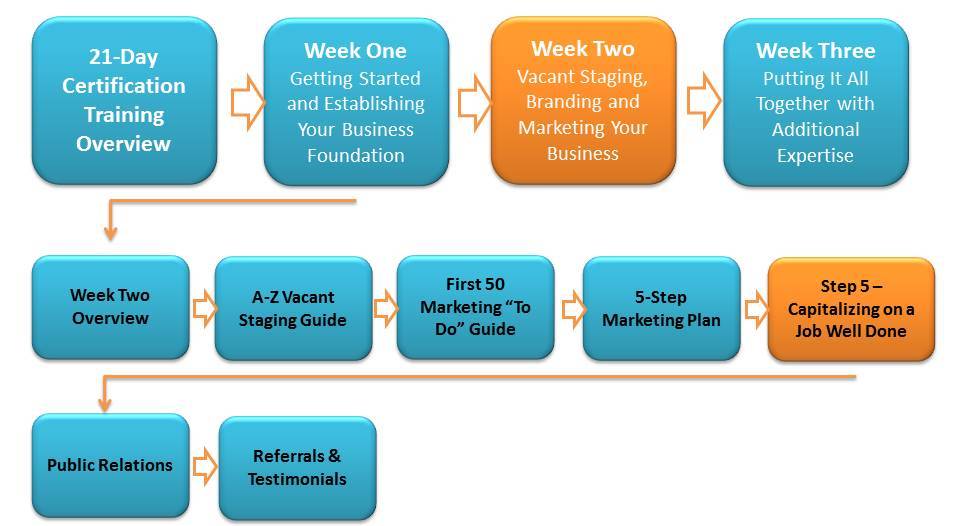
Marketing Step 5-Capitalizing on a Job Well Done

Marketing Step Five

One of the best things about the home staging business model is the fact that each job you do is a marketing statement and activity all on its own! Why? Because your number one target market (real estate agents) will then be "caravanning" through each home you stage. Don't miss any opportunity to brag about your work!

Please review the HSR Marketing Step 5 of the First 50 Marketing Guide in the Training Manual before continuing on to the following online sections for today.

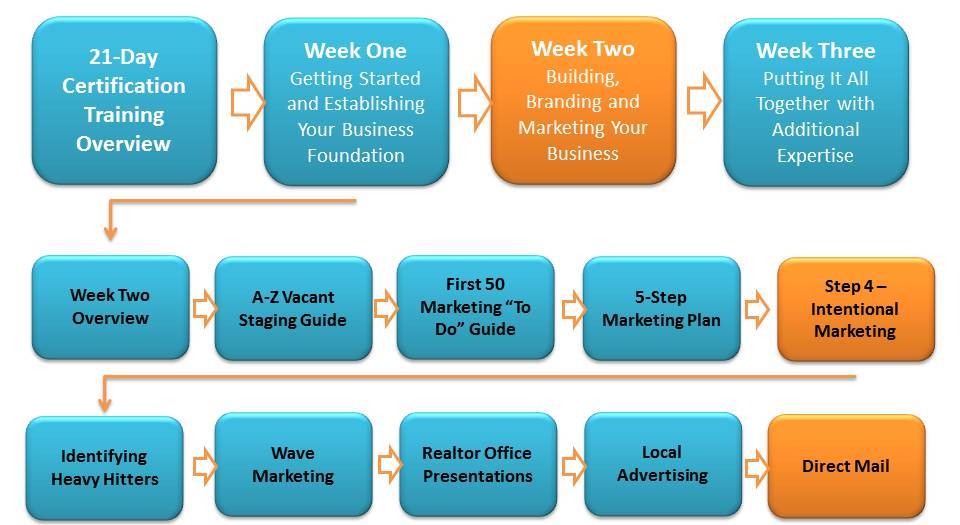
Direct Mail

How to Send out Mailers to Target Markets

Direct mail can be hit or miss, so it never hurts to "try" it in your area to see what kind of results you may achieve.

Rules of Direct Mail

  • Consider WHO you are speaking to and only write in terms of how you benefit them.
  • Have a "juicy offer" like the ones we recommend you use in our Facebook Advertising section that compels them to your website and your contact list.
  • Give them the facts, stats and solutions of your business - Again, it's about how they benefit with you.
  • Consider a coupon discount when they mention the mailer
  • Speak in the first person, be genuine and try and get your contact's first name for personalization
  • NEVER use the bulk mail option that the post office offers (those are easily discarded)
  • Handwrite the address on the envelope/postcard and consider handwriting the whole card using gorgeous stationary for a more personal, better chance at getting the mail read.

Direct Mail to Sellers

Unfortunately there is not an easy way to find the first name's of sellers who recently list. However, it is very easy to get their address auto-delivered to your email box the moment they list, so I recommend starting there. Here are the easy steps:

  1. Go to www.realtor.com or www.redfin.com and create a search that encompasses all the homes in the area you are willing to drive to. Remember, the more "open" your search, the more email results you'll get.
  2. Create a folder in your email box for "Seller Listings" and set up an action in your email that automatically files those emails to this box (or you can drag it there by hand). This way you are being very efficient by filing them quickly and doing the mailers at the end of the week.
  3. Create your direct mail piece to sellers. When you go to the Marketing Materials section, the postcards are designed for specifically for this but it's also a good idea to use our letter examples below to get more personal and print them on stationary.
  4. At the end of the week, go into your email folder and quickly write down the addresses of the homes that are newly listed on each of your direct mail pieces, a "Dear Home Seller" will suffice. Better yet, go to http://www.whitepages.com and do a reverse address look-up to find the name of the home owner and personally address each letter.

Direct Mail to Real Estate Agents

You know that I mostly recommend a more personal touch with agents (see Wave Marketing ) but also know that a "touch" is still a good thing! Luckily your local Realtor Association is very good at working with you as an Affiliate when you join to connect with their members via mailings, flyers and during events so you'll want to contact them first. You may even be able to get the labels of all the agents in your area to send a large mailing to.

**Never is it acceptable to mass email agents (your email account will be suspended for this) while you can mass direct mail them.

Direct Mail to New Home Owners

One of the great benefits to staging is the fact that we are working with client's who are also very likely to want to use us for their new homes! Luckily there are "New Movers & New Home Owner" lists that you can buy and auto-mail to through websites that can do this easily and efficiently. Even our very own Vista Print Dealer Portal has an easy way for you to send postcards to New Movers and New Home Owners starting at 18 cents a name.

Here are a few other companies that do the same thing:


The Resources and Downloads Mentioned in This Section Are: